Video Editor
Clippy's video editor is a full-featured video creation studio in your browser. Everything happens on a canvas — add media, arrange it on the timeline, apply effects, and export.
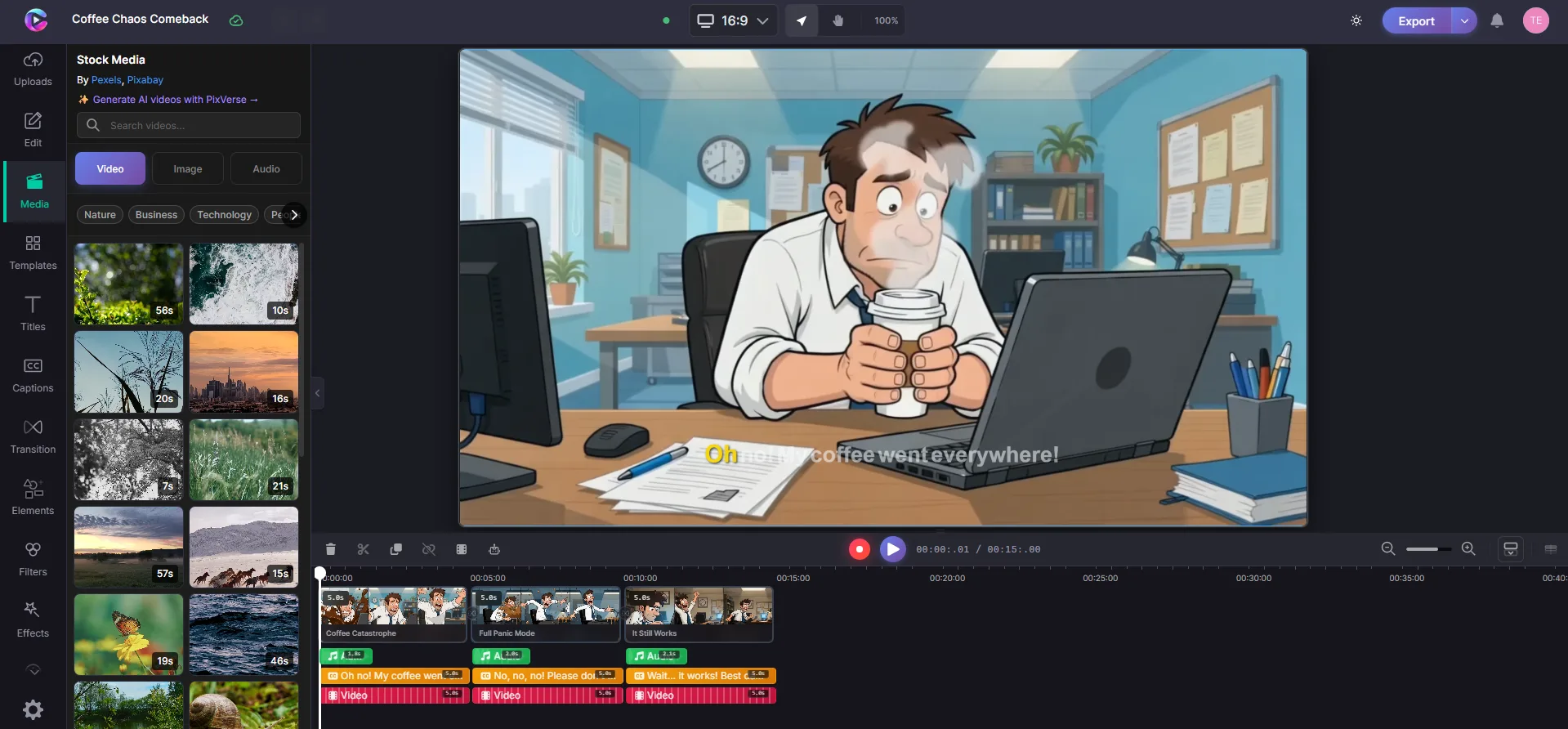
Canvas
The canvas is where you see your video come together. Every element — video clips, images, text, shapes — appears here exactly as it will in the final export.
- Select any element by clicking it on the canvas
- Move, resize, rotate elements with drag handles
- Edit text directly by clicking on it
- Right-click for copy, paste, delete, and duplicate
Timeline
The timeline is the backbone of your video. Each piece of media gets a row, and the order determines what plays and when.
- Drag items left/right to set timing, up/down to change layer order
- Trim by dragging the edges of any item
- Snap indicators help you align items precisely
- Zoom in for frame-level detail or out to see your whole project
- Mini-map gives you an overview of the full timeline
Media Library
Your media panel holds everything you can use in your video:
- Upload videos, images, and audio from your computer
- Stock media — search free photos and videos directly in the editor
- AI Video Agent — generate complete videos from a text description
- Drag any asset from the library straight onto the canvas or timeline

AI Features
AI Video Agent
Describe what you want, and the AI builds it — scenes, voiceover, captions, and media arranged on the timeline. You can refine everything afterward.
AI Voiceover
Choose a voice, type your script, and the AI generates a voiceover track that syncs with your timeline.
Auto Captions
Generate captions automatically for any spoken audio. Style them to match your brand — font, color, position, and background.
Background Removal
Remove or replace the background in video clips. Choose a blur, a color, or upload your own image.
Export
When your video is ready, export it to MP4 in 720p, 1080p, or 4K. Rendering happens in the cloud — close your browser and come back later. Your finished video will be waiting in your dashboard.